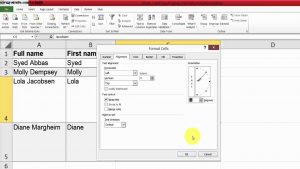
In this step-by-step tutorial, learn 10 of the best Microsoft Excel tips and tricks that will help you work faster and more efficiently with your data.
Whether you’re a beginner or intermediate Excel user, I share 10 of my favorites — must know Excel tips & tricks — simple techniques that make working with spreadsheets faster and easier.
You’ll learn practical Excel skills like re-ordering columns, applying formulas quickly, conditional formatting, flash fill, removing duplicates, and more.
#Excel #Microsoft #MicrosoftExcel #ExcelTips
⏲️ Timestamps
00:00 Introduction to Excel tips and tricks
00:19 Move columns (re-order columns)
01:01 Fill handle – apply a formula to all rows instantly
02:16 Format data, create a table & use the SUM function
02:43 Select all formulas in a worksheet
03:13 SUBTOTAL – sum only visible rows vs SUM
05:00 Conditional formatting of rows
06:51 Snap to cell
07:38 Fill all blank cells in one go
09:10 Wildcard lookups in formulas (COUNTIF, SUMIF, VLOOKUP)
11:57 Flash Fill – detect a pattern and fill all rows automatically
13:15 Remove duplicate rows of data
???? Excel sheet used in this tutorial (try it yourself):
⬇️ Download Excel sheet used in this tutorial
➡️ The link is in Community Tab for Channel Members
To become a member, click here: https://www.youtube.com/rezadorrani/join