• Articles
  • Videos
Menu
How to Remove Non-Printable Characters in Excel – Excel Tips and Tricks

How to Remove Non-Printable Characters in Excel – Excel Tips and Tricks

  • editor
  • April 9, 2024
  • Videos

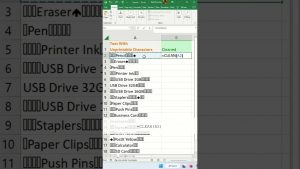
https://youtube.com/watch?v=ymB0D16AdzQLearn how to remove non-printable characters. When text that was imported from another program contains characters that your operating system might not be able to print, use CLEAN. For instance,…

Continue Reading
Create amazing Dynamic Chart in excel🔥😮| Excel tips & tricks

Create amazing Dynamic Chart in excel🔥😮| Excel tips & tricks

  • editor
  • April 3, 2024
  • Videos

https://youtube.com/watch?v=hMlU3GFw18wCreate amazing Dynamic Chart in excel🔥😮| Excel tips & tricks Learn how to make create amazing dynamic chart in Microsoft Excel. This way you can create a perfect chart even…

Continue Reading
How do I calculate days remaining from today in Excel? – Excel Tips and Tricks

How do I calculate days remaining from today in Excel? – Excel Tips and Tricks

  • editor
  • March 31, 2024
  • Videos

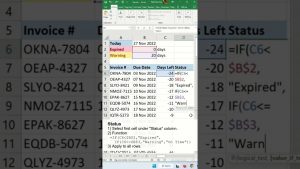
https://youtube.com/watch?v=nnM850RK8EoDiscover how do I calculate days remaining from today in Excel. You can also extend this technique to answer how to calculate remaining days in a month in excel. It…

Continue Reading
Excel Time-Savers – 5 Hidden Features for Busy People

Excel Time-Savers – 5 Hidden Features for Busy People

  • editor
  • March 29, 2024
  • Videos

https://youtube.com/watch?v=9uIxy9auP_o🌍 Dive deep into Power Query with our comprehensive course: https://link.xelplus.com/yt-d-timesaver-pq-course Discover our full range of courses tailored to help you succeed: https://www.xelplus.com/courses/ You'll learn 5 Excel features that are…

Continue Reading
Hide cell values in Excel – Excel Tips and Tricks

Hide cell values in Excel – Excel Tips and Tricks

  • editor
  • March 25, 2024
  • Videos

https://youtube.com/watch?v=37ITS9zFA4ULearn how to hide cell values in Excel. In Excel, the cell formatting ";;;" is a custom number format that hides the contents of a cell completely. When you apply…

Continue Reading
Select all data without scrolling down – Excel Tips and Tricks

Select all data without scrolling down – Excel Tips and Tricks

  • editor
  • March 24, 2024
  • Videos

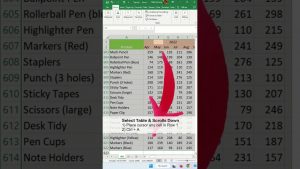
https://youtube.com/watch?v=90WAPs38dLUIf you select header and press Ctrl + A, the cursor will scroll down. If you select any cell other than the header, and press Ctrl + A, the cursor…

Continue Reading
Compare Two Tables In Excel – Excel Tips and Tricks

Compare Two Tables In Excel – Excel Tips and Tricks

  • editor
  • March 18, 2024
  • Videos

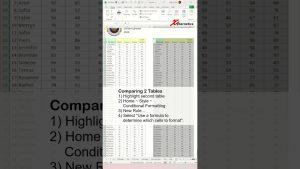
https://youtube.com/watch?v=vbEXmx9XTKELearn how to compare two tables in Excel To effectively analyze data in Excel, several methods can be employed to compare tables and sheets, highlighting differences and identifying matches. To…

Continue Reading
Insert Blank Space Between Rows FAST!! – Excel Tips and Tricks

Insert Blank Space Between Rows FAST!! – Excel Tips and Tricks

  • editor
  • March 8, 2024
  • Videos

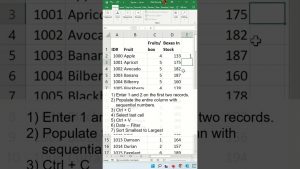
https://youtube.com/watch?v=37i6EDBfGHILearn how to insert blanks space between rows fast!! Here are the steps highlighted in the video. 1) Enter 1 and 2 on the first two records. 2) Populate the…

Continue Reading
Vertical In-Cell Bar Chart – Excel Tips and Tricks

Vertical In-Cell Bar Chart – Excel Tips and Tricks

  • editor
  • February 9, 2024
  • Videos

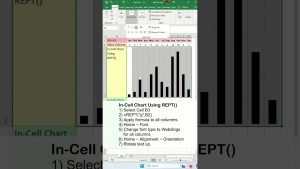
https://youtube.com/watch?v=k0EG8QlPVLgLearn how I can make vertical in cell bar chart. Essentially, learning how to create vertical bar chart in excel. I will be addressing how do I add a vertical…

Continue Reading
How to identify or highlight expired or upcoming dates in Excel? – Excel Tips and Tricks

How to identify or highlight expired or upcoming dates in Excel? – Excel Tips and Tricks

  • editor
  • February 7, 2024
  • Videos

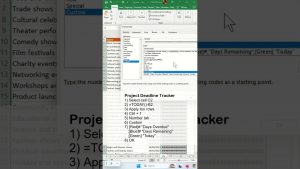
https://youtube.com/watch?v=p3UngSCRbK8Learn how to identify or highlight expired and upcoming dates in Excel is important for a lot of retails stores from supermarkets to sale departments to computer parts store. It…

Continue Reading
  • 1
  • 2
  • 3
  • 4
  • 5
  • 6
  • 7
  • …
  • 11

Excel Jobs in your area.

Jobs from Indeed
jobs by Indeed