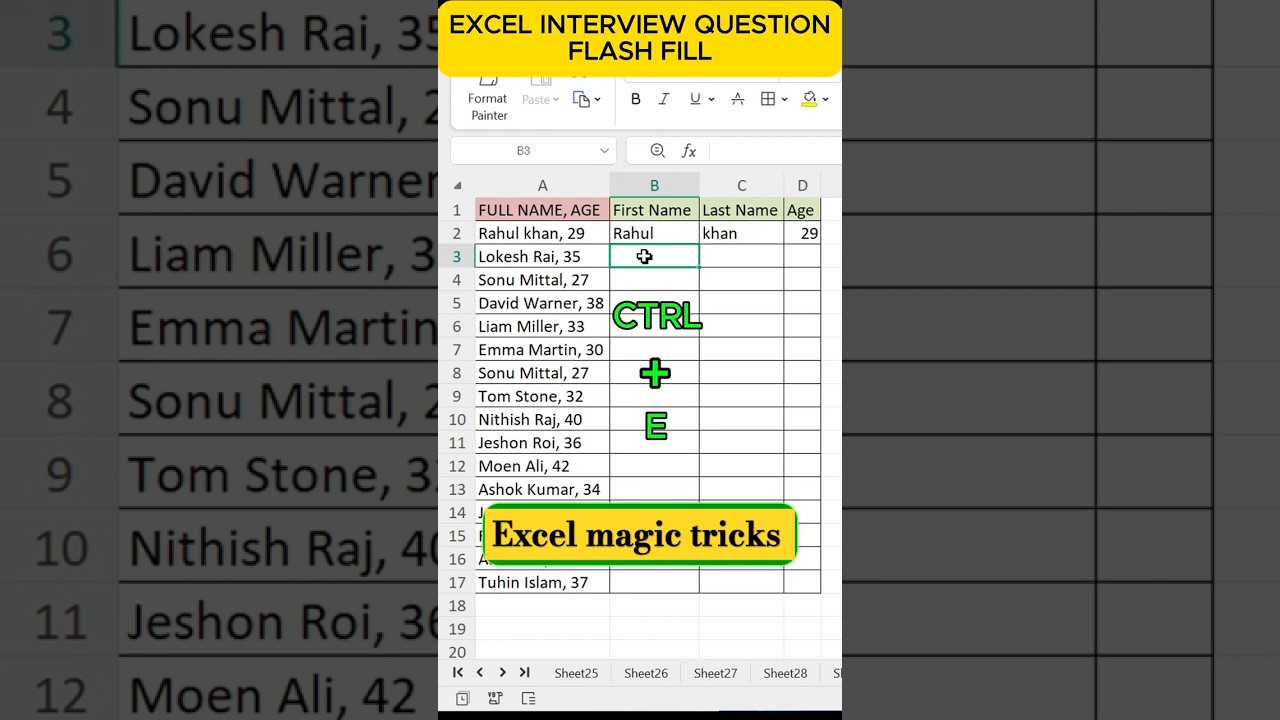
This video we share excel interview question.In this video how to use flash fill excel.Excel flash fill details-
Flash Fill is a feature in Excel that can automatically detect data patterns and fill in cells based on those patterns. It can also adapt to your actions to format or combine data.
How to turn on Flash Fill
Click the Menus tab
Click Tools
Select Options
Select Advanced
Select Editing Options
Check the Automatically Flash Fill box
How to use Flash Fill
Enter the first value in the column next to your data
Start typing the next value
Flash Fill will show a list of suggested values
Press Enter to accept the list
Keyboard shortcut for Flash Fill
You can also run Flash Fill manually by going to Data Flash Fill or pressing Ctrl+E.
How Flash Fill compares to AutoFill
AutoFill helps you replicate simple patterns, while FlashFill can detect more complex data patterns.
Background audio link
Song: Elektronomia – Sky High [NCS Release]
Music provided by NoCopyrightSounds
Free Download/Stream: http://ncs.io/skyhigh
Watch: http://youtu.be/TW9d8vYrVFQ
Excel interview question | ms excel interview questions and answers | Excel | #shorts #interview #exceldatamodeling #excelinterview #exceldatamodelingtutorial #excelinterviewquestions #exceldataanalytics #exceltest #exceltutorial #dataformatting #excelshortcuts #excelinterview
Next video link
https://youtube.com/shorts/DfjMYxcILrU?si=IypmwJyt2GOja6SR