Group Dataset Real Fast In Excel – Excel Tips and Tricks
https://youtube.com/watch?v=4r-rm1sxrKwLearn how to group data set real fast in Excel. Group Dataset Into Headers 1) Select cell D3 2) =A2=A3 3) Apply formula to the rest of the rows. 4)…

https://youtube.com/watch?v=4r-rm1sxrKwLearn how to group data set real fast in Excel. Group Dataset Into Headers 1) Select cell D3 2) =A2=A3 3) Apply formula to the rest of the rows. 4)…

https://youtube.com/watch?v=ZCI9VXk5D8YLearn how to crosshair highlight in excel, essentially, how to highlight row and column of active cell Here's how to achieve a crosshair cell highlighting effect where both row and…

https://youtube.com/watch?v=uvpDS16Xos8Learn how to insert date and time if a check box is checked in Excel. We will also be answering how do I timestamp a check box in Excel. Or…
https://youtube.com/watch?v=G8pZyPuGlOYLearn how to date stamp every checkbox in Google sheet. Technically, timestamp checkbox google sheets. In short, I'll be showing how to insert date stamp into a cell if tick…

https://youtube.com/watch?v=XNa1e8DTwOADiscover how to display accounting format as 0, not -. Essentially an answer to How to make accounting format show 0. Or how do I change my accounting number format?…
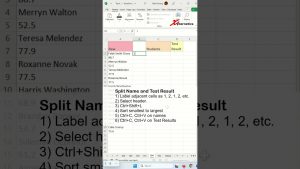
https://youtube.com/watch?v=iAlqgdcFnAgLearn how to separate text and numbers into columns. We will also be answering how do I separate text and numbers in a column? Or do how do I separate…

https://youtube.com/watch?v=fuAreAmFqq4Learn how to split text with multiple delimiters in Excel. We will be answering questions too. Can you have multiple delimiters in Excel, in another words how to use text…

https://youtube.com/watch?v=UG91cmuj7fkLearn how to auto adjust serial number in Excel. At the same time you will learn how to autofill serial numbers or auto arrange serial numbers in Excel. Technically, how…

https://youtube.com/watch?v=9jikwOOFkTgDiscover how to create a mini scroll bar widget. Also learn how to create a vertical scroll bar in Excel, and how to create scrolling table in Excel. I will…